Connect KnowWho to your assistant
KnowWho has no app of its own. It lives inside the AI assistant you already use. This takes about five minutes and you only do it once.
Before you start
A KnowWho account. Free, no card. Create one if you have not.
This address, unless you use Claude. KnowWho is in Claude's connector directory, so Claude finds it by name. Every other assistant needs the address, pasted in once.
That is the only technical thing on this page.
Which assistant do you use?
One choice, one set of steps. The link updates so you can send this page to a colleague open on the right one.
Connect KnowWho to Claude
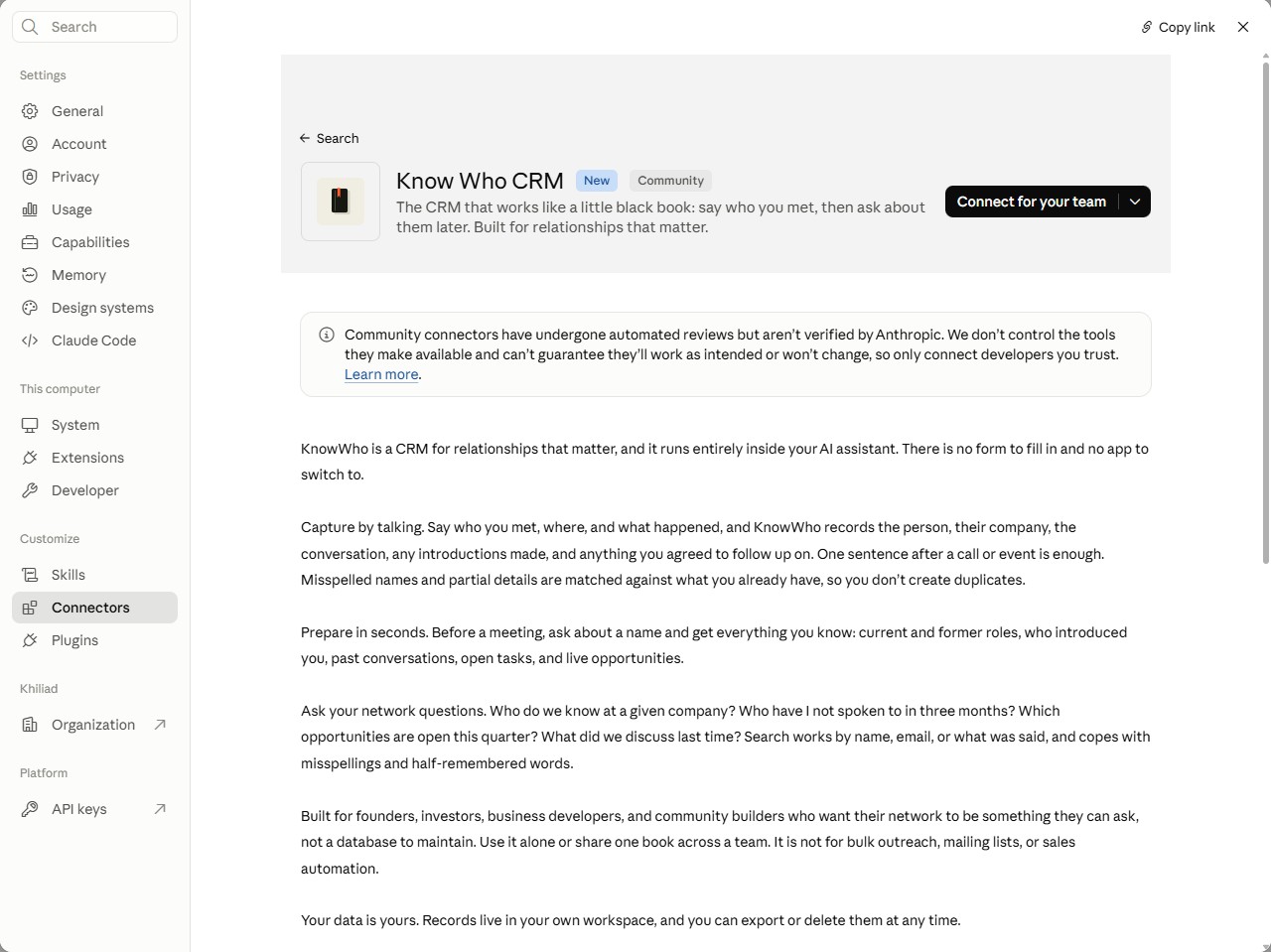
KnowWho is listed in Claude's connector directory as Know Who CRM. No address to paste.
- Open Claude and go to Settings, then Connectors.
- Browse the directory and search for
Know Who CRM. - Open it and click Connect.
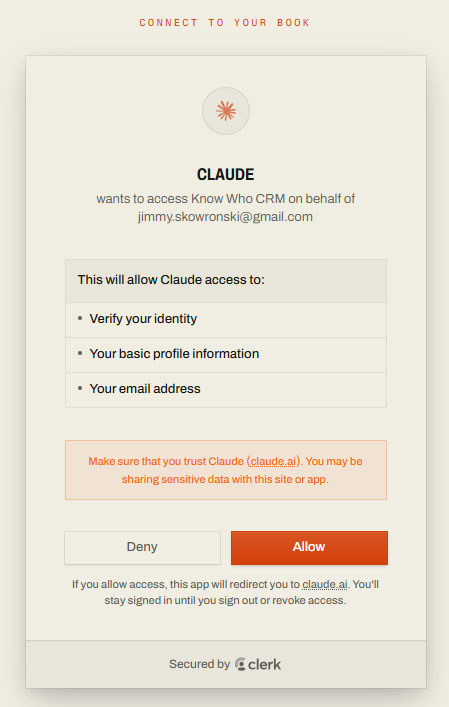
- A browser window opens. Sign in to KnowWho and click Allow. It closes on its own.
Claude marks KnowWho as a Community connector: it has passed Anthropic's automated review and is not yet one Anthropic has verified itself.
On Claude Team or Enterprise: an organisation owner opens the listing once and clicks Connect for your team. After that everyone clicks Connect and signs in with their own KnowWho account. If your organisation only allows connectors an owner has approved, ask them.
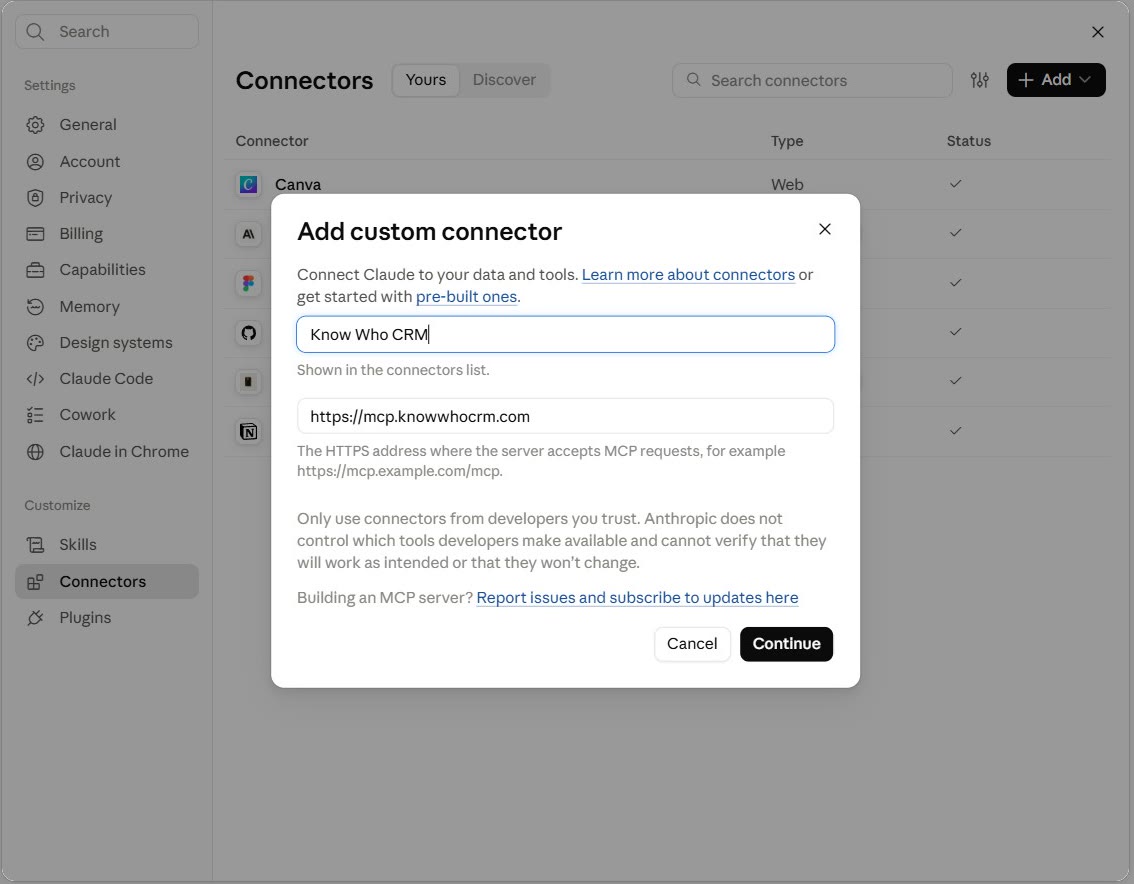
If you cannot find it in the directory, add it by address instead:
- In Settings, then Connectors, click + and choose Add custom connector.
- Name it
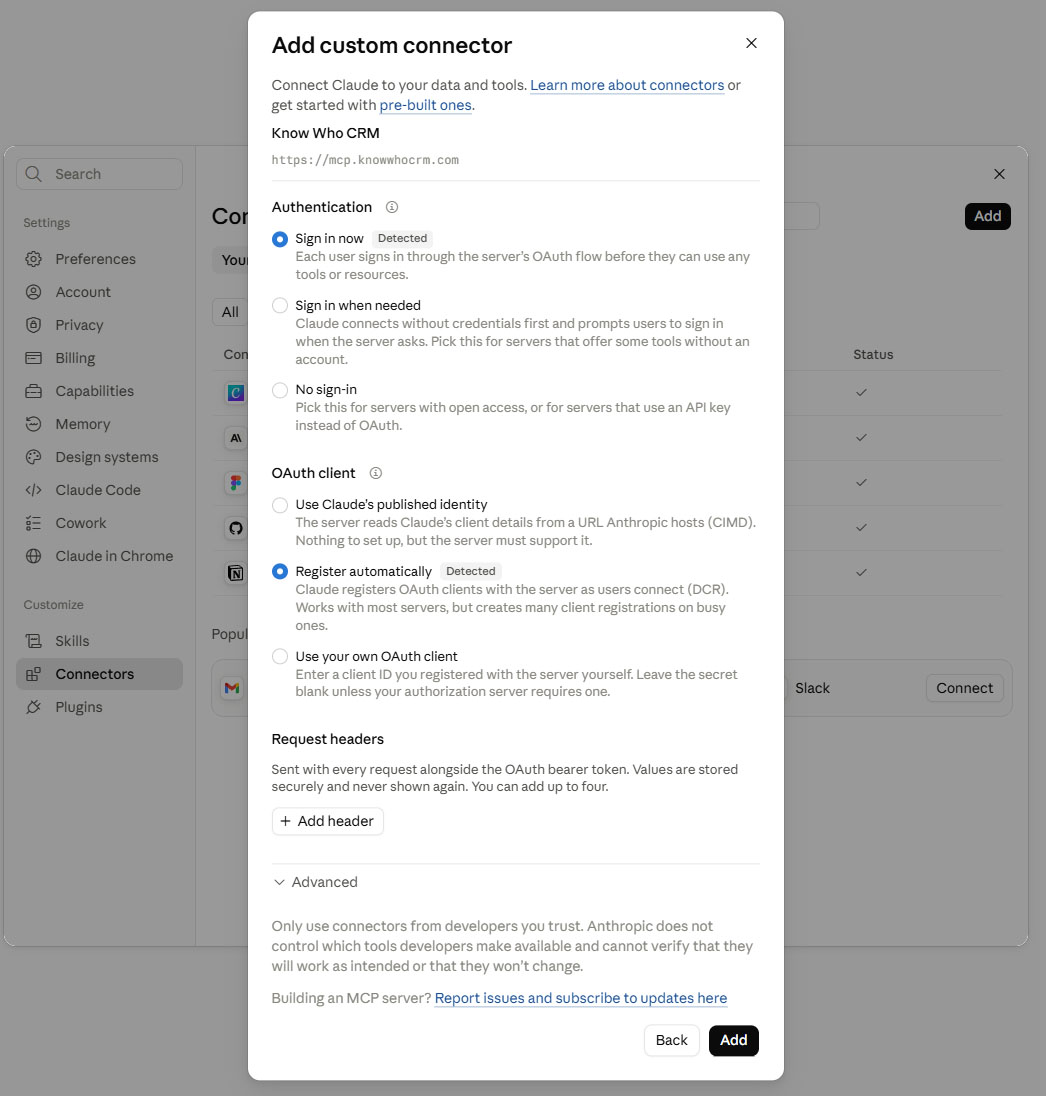
KnowWho. - Paste the address into the server URL field.
- Leave the advanced settings alone. There is no client ID or secret to enter.
- Click Add.
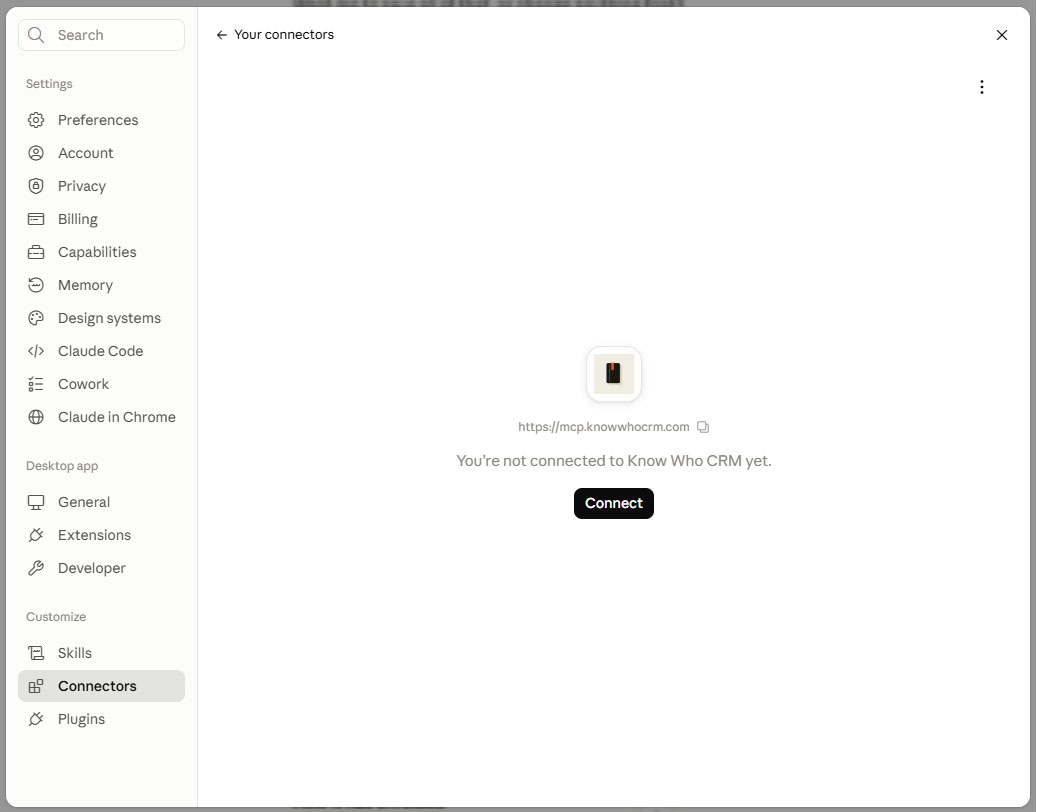
- Find KnowWho in the list and click Connect.
- A browser window opens. Sign in to KnowWho and click Allow. It closes on its own.
Connect KnowWho to ChatGPT
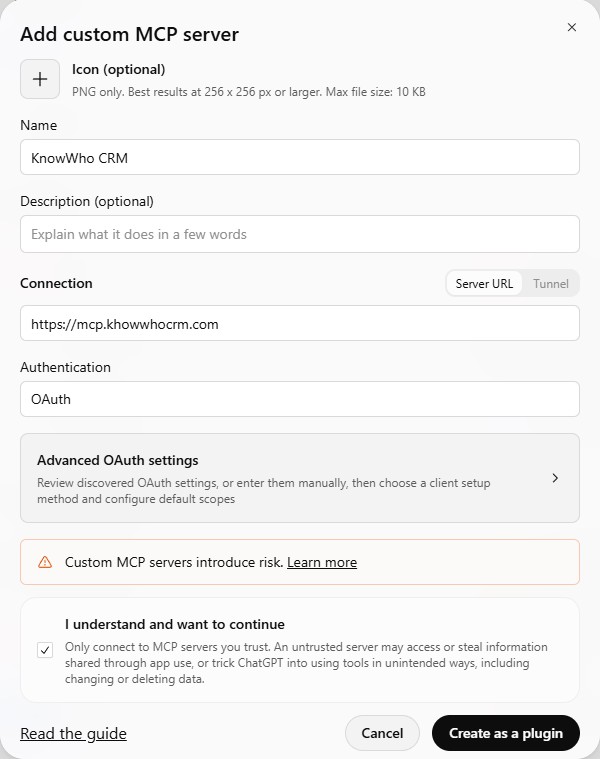
- Open ChatGPT's Settings and choose to add a custom MCP server.
- Name it
KnowWho CRM. - Paste the address into the server URL field.
- Leave Authentication on OAuth. There is no client ID or secret to enter.
- Tick I understand and want to continue, then click Create as a plugin.
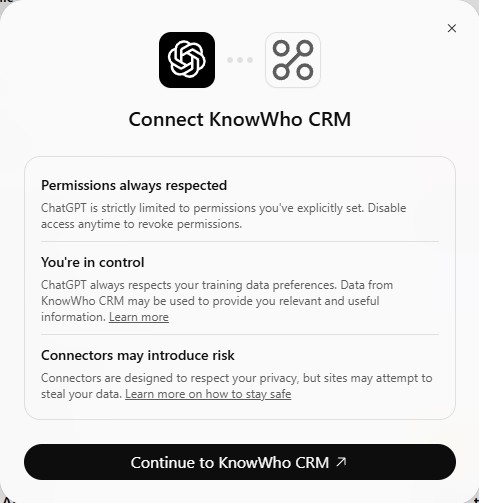
- On the Connect KnowWho CRM screen, click Continue to KnowWho CRM.
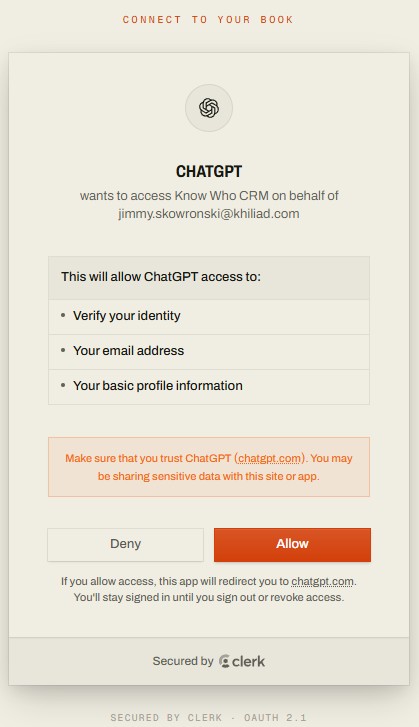
- A browser window opens. Sign in to KnowWho and click Allow. It closes on its own.
- Enable KnowWho in the conversation where you want to use it.
Connector support differs by ChatGPT plan, and OpenAI moves the menus. If what you see does not match, OpenAI's own documentation is the authority.
Connect KnowWho to Gemini
Which route you take depends on which Gemini you use, and they do not work the same way.
The Gemini app, on a personal account. This is only available on personal Google accounts, not on Workspace ones.
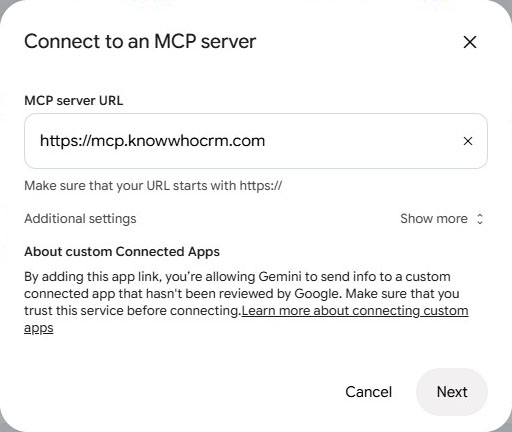
- In Gemini's settings, open Connected Apps and choose to connect an MCP server.
- Paste the address into the MCP server URL field and click Next.
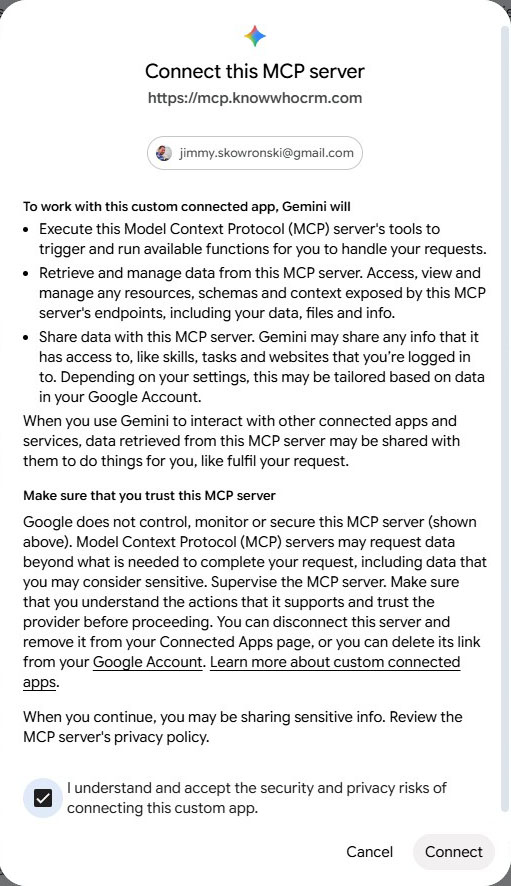
- Read what Gemini will be able to do, tick the box to accept, and click Connect.
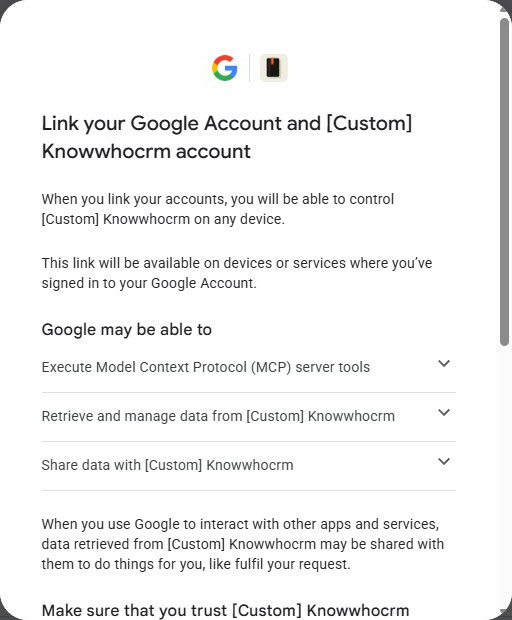
- Google asks you to link your Google account to KnowWho. Continue.
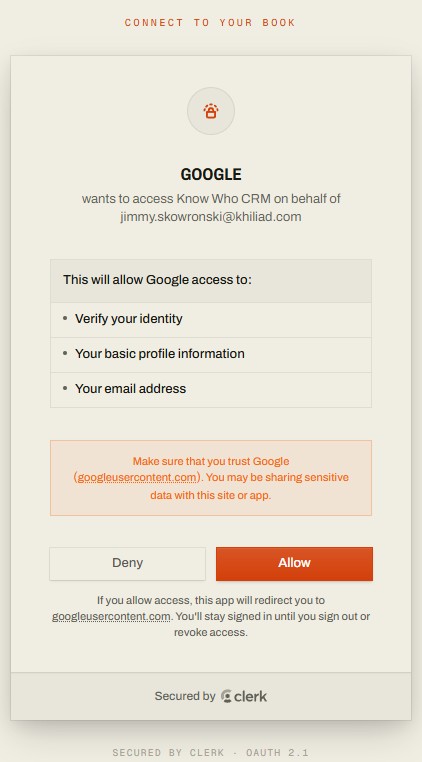
- Sign in to KnowWho and click Allow.
Gemini Enterprise or Business. A team administrator connects it as a custom MCP server from the admin console, and everyone else then authorises with their own identity. It requires the streamable HTTP transport and a publicly trusted TLS certificate, both of which KnowWho already uses.
Gemini CLI. Reads MCP servers from its own configuration file and ignores anything set in the app.
Connect KnowWho to Claude Code
Add it from the terminal:
claude mcp add --transport http knowwho https://mcp.knowwhocrm.com
Then run /mcp inside Claude Code and follow the sign-in prompt. A browser window opens for you to approve.
Connect KnowWho to any other assistant
KnowWho works with any client that speaks MCP, the open standard for connecting tools to AI. Point yours at:
- Server URL https://mcp.knowwhocrm.com
- Transport streamable HTTP
- Authentication OAuth 2.0
Your client will open a browser window for you to sign in. There is no API key to generate and no secret to paste anywhere.
If your assistant has a setting called connectors, apps, integrations or MCP servers, that is where this goes.
Check it worked
Start a new conversation and ask:
What is in my KnowWho book?
A new account will tell you it is empty. That is the right answer and it means you are connected.
Adding a connector does not always switch it on everywhere. Most assistants let you enable connectors per conversation, usually from a menu next to the message box.
What you just authorised
Connecting lets your assistant read and write your KnowWho book, and nothing else.
KnowWho receives the single request your assistant sends it and answers it. It cannot see your conversation history, your assistant's memory, your other connectors, or any file you uploaded.
Your words reach your assistant provider before they reach us, under their privacy policy. That is true of every connector. More in the privacy policy.
If it will not connect
Nothing happens when I click Connect. Check the address has no typo and no trailing slash.
The sign-in window closed with an error. Sign in at app.knowwhocrm.com first, then try again.
My assistant says it has no tools. The connector is added but switched off for that conversation. Turn it on and send a new message.
It says my book is empty and it is not. You are signed in with a different KnowWho account. Disconnect, reconnect, check the email.
More in troubleshooting, or email support@knowwhocrm.com and tell us which assistant you use.
You are connected. Now say something.
Just had coffee with Sarah Whitfield from Brightline. She runs their ops team, they are replacing their scheduling system in Q1, and I said I would send her the case study by Friday.
How to use KnowWho has the rest.